Key takeaways
Fill, sign, and submit Wondershare A Sample Doctors Note for Work from any browser — or have AI generate a custom version in seconds. No installs, no printing, no back-and-forth.
- A Doctor’s Note for Work serves as medical documentation to justify an employee's absence from work due to health issues.
- The form records essential patient details, specific dates for excusal, and medical advice for the patient's recovery process.
- A healthcare provider must sign the document to validate the medical assessment and the recommended period of absence.
- This note is typically simpler and less formal than the Form WH-380-E required for official FMLA medical certifications.
- The document communicates a health care provider's assessment of an employee's incapacity and potential return-to-work recommendations.
- While there is no universal filing deadline, individual employer policies usually determine when you must submit the completed note.
What is Wondershare A Sample Doctors Note for Work?
Doctor’s Note for Work is a clinical document issued by a healthcare provider to substantiate an employee's absence from their job due to health-related reasons. Its primary purpose is to provide documentation to an employer that supports the individual’s need for time off to recover or receive treatment. By outlining the provider's assessment, the note clarifies the period during which the employee is unable to perform their professional duties. This ensures that the employer has a verified record of the medical necessity behind the absence.
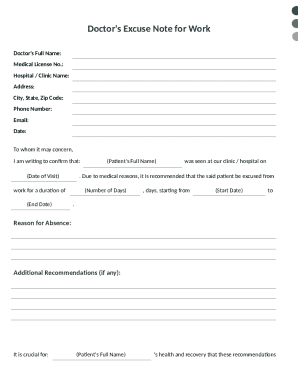
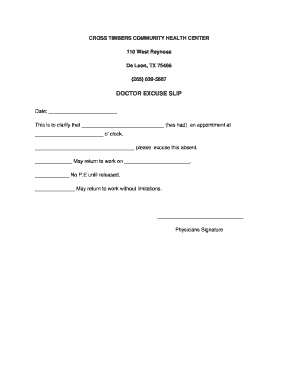
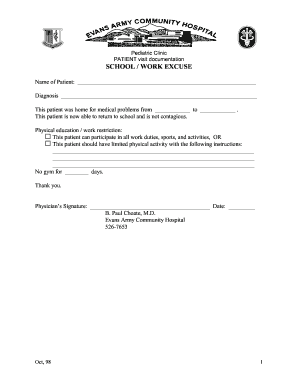
This document records vital patient information, including their name, age, and the date of the medical consultation. It specifies the exact days the patient is excused from work and provides medical advice aimed at facilitating a full recovery. Additionally, a medical excuse note may include specific recommendations for returning to work or any temporary physical restrictions the employee must follow. To complete the document, the health care provider must sign it, confirming the details and the professional assessment provided within the form.
This document is typically issued by individual health care providers rather than a single central authority.
Who needs the Wondershare A Sample Doctors Note for Work — and who doesn't
Not everyone files Wondershare A Sample Doctors Note for Work. The checklist below tells you whether it applies to your situation — and points you to the right alternative if it doesn't.
You need this Wondershare A Sample Doctors Note for Work if…
- your employer requires professional verification of a medical condition that prevents you from performing your job duties.
- you need to formally document a specific range of dates for which you are excused from work to recover.
- you require medical recommendations or physical restrictions to be communicated to your employer to ensure a safe return to the workplace.
You do not need this Wondershare A Sample Doctors Note for Work if…
- your employer does not require formal medical documentation for short-term absences or incidental sick leave.
- you are applying for medical certification under the Family and Medical Leave Act, which requires specific government-issued forms like Form WH-380-E.
Why you need the Wondershare A Sample Doctors Note for Work
Why people fill out Wondershare A Sample Doctors Note for Work, and what tends to go wrong when they don't.
-
Verify Work Absence Use this document to provide formal evidence of your medical condition to an employer. It establishes a clear timeline for your incapacity and supports your legitimate need for time off.
-
Clarify Recovery Needs The form includes specific sections for medical advice and excusal details. Keeping a copy ensures you have a record of your provider's instructions regarding when you can safely return.
-
Authenticate Medical Claims A signed note from a healthcare provider serves as a professional validation of your health status. It confirms that a qualified professional has assessed your condition and recommended an excusal.
-
Secure Digital Management Use pdfFiller to fill, sign, and share your note digitally with your employer. The platform keeps your medical documentation in secure encrypted storage, ensuring your sensitive information remains protected.
What each section of Wondershare A Sample Doctors Note for Work means
Every section explained — what it's asking, the records you'll need on hand, and the mistakes that most often cause a rejection or follow-up request.
| Patient Information Section | The filer enters the patient's full name, gender, and age, along with the specific date the medical note is being issued by the provider. |
|---|---|
| Work Excusal Details | This area is used to list the exact dates or the duration of time the employee is required to be absent from their workplace. |
| Recovery Medical Advice | The healthcare professional provides specific instructions or recommendations regarding the patient's care and recovery process to facilitate a safe return to work. |
| Healthcare Provider Signature | The treating physician or medical professional signs the document to verify the authenticity of the medical assessment and the provided excuse for absence. |
How to fill out Wondershare A Sample Doctors Note for Work using pdfFiller
A walkthrough from the first field to the signature line. With your records in front of you, most people finish in under ten minutes.
-
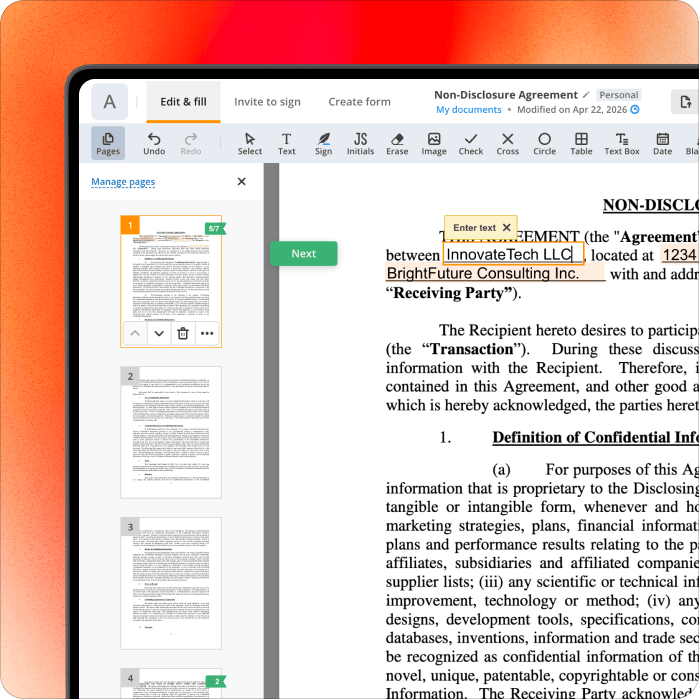
Open the Document Click Get Form to open the Doctor’s Note for Work in the pdfFiller editor to begin customizing the medical excuse note for your specific workplace requirements.
-
Input Patient Data Use the fillable fields to type the patient's full name, select the appropriate gender, and enter their current age along with the date of the medical visit.
-
Define Absence Dates Click into the designated section of the doctor’s note template to specify the exact days or date range the employee should be excused from their professional duties.
-
Include Medical Recommendations Utilize the text fields to document specific medical advice or recovery instructions that the health care provider recommends for the patient before they return to work.
-
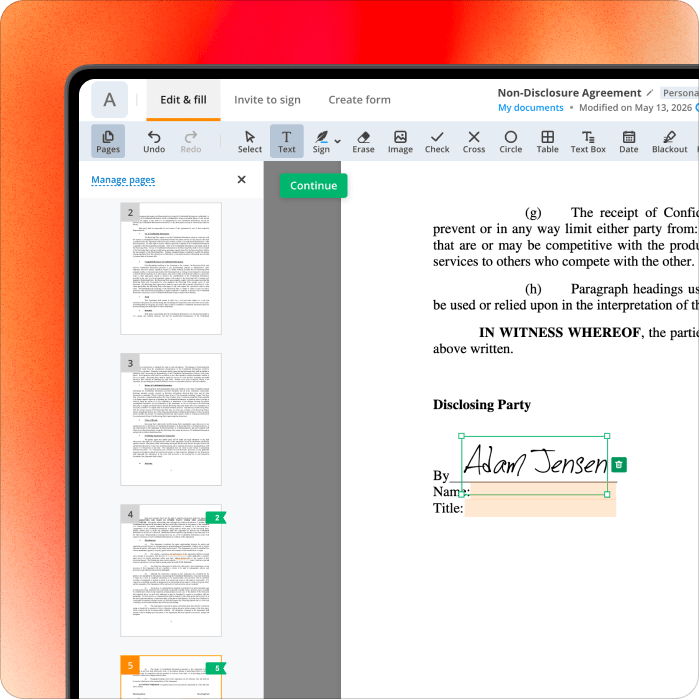
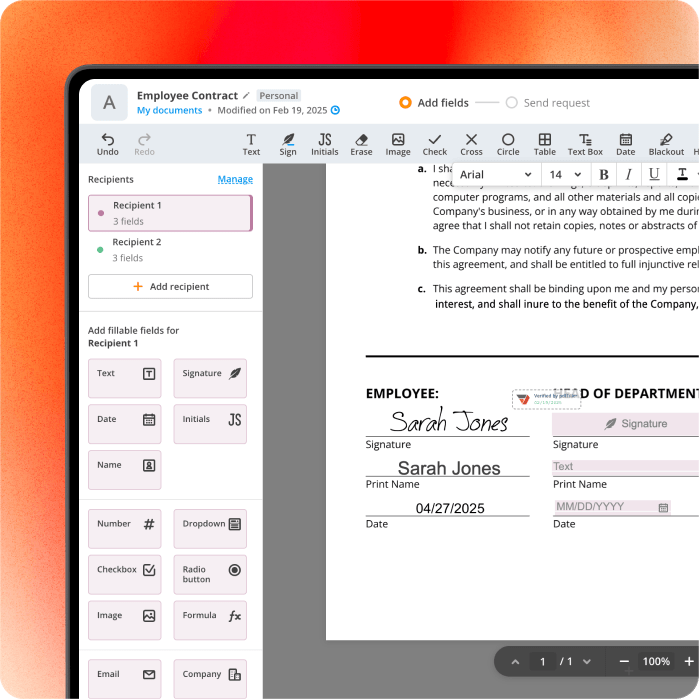
Apply Digital Signature Use the Sign tool to add a legally binding eSignature from the health care provider, ensuring the work excuse form meets the necessary verification standards for employers.
-
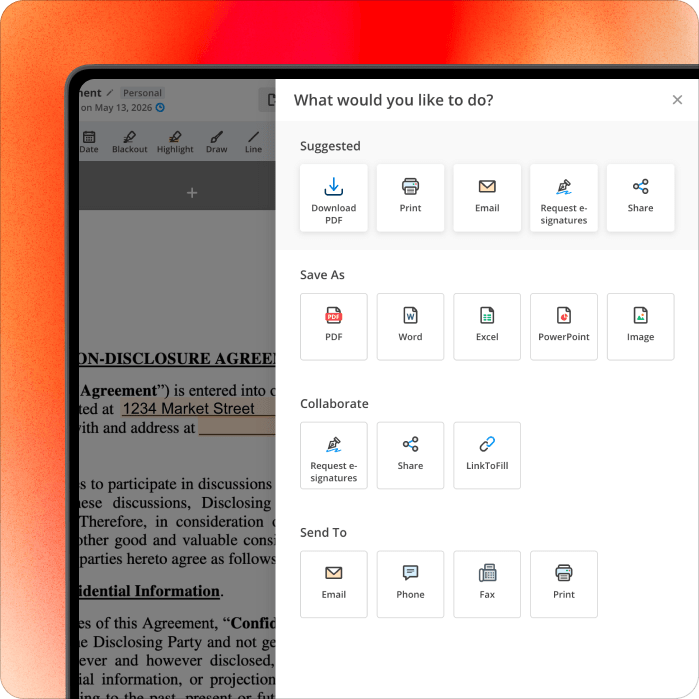
Review and Save Carefully check all entered information for accuracy, then click Done to save your progress or download the finished PDF directly to your local device for your records.
-
Share or Email Securely send the completed document to an employer or HR department via email, fax, or a direct link using pdfFiller’s built-in sharing and management capabilities.
Key terms used in Wondershare A Sample Doctors Note for Work
A one-sentence glossary of the Wondershare A Sample Doctors Note for Work terms and concepts you'll see throughout this guide.
- Excusal Details
- Specific dates or the duration during which a patient is medically advised to remain away from their professional duties.
- Date of Incapacity
- The timeframe during which a patient's health condition prevents them from performing their regular work responsibilities.
- Medical Advice
- Professional recommendations provided by a physician to assist a patient in their recovery and safe return to the workplace.
- Health Care Provider
- A licensed medical professional, such as a doctor, who assesses a patient's health and authorizes a work excuse note.
- Return to Work
- The date or specific conditions under which a patient is cleared by their doctor to resume their professional job functions.
Frequently asked questions about Wondershare A Sample Doctors Note for Work
Quick answers to the questions we hear most often about completing the Wondershare A Sample Doctors Note for Work.
A Doctor’s Note for Work is a document provided by a healthcare professional to support an employee's need for absence due to a health condition. This document communicates the provider's assessment of the individual's health and specifies the dates they are unable to perform their duties. Using pdfFiller, users can easily fill out and manage these documents within a secure online environment.
A medical excuse note generally includes the patient's name, age, the date of the visit, and the specific days the employee should be excused from work. It may also provide medical advice for recovery and a professional assessment of the incapacity period. You can use pdfFiller to complete these fields and share the finished PDF with an employer via email or a secure link.
Yes, a work excuse form typically requires the signature of the healthcare provider to be considered valid documentation for an employer. This signature confirms the medical assessment and the recommended dates for the absence. With pdfFiller, a doctor can add a legally binding e-signature directly to the document or the patient can request a signature from their provider through the platform.
While a standard note is a simple document for general absences, Form WH-380-E is a detailed government form required for medical certification under the Family and Medical Leave Act. The FMLA form is used specifically for serious health conditions and involves more extensive reporting requirements than a basic excuse. pdfFiller allows users to edit and store both types of documents in one centralized location.
Yes, a doctor’s note template often includes a section for medical advice to help guide the patient's recovery process. This section allows the healthcare provider to offer specific recommendations or return-to-work restrictions based on the patient's condition. pdfFiller provides tools to annotate, edit, and add stamps to these documents, ensuring that all necessary medical guidance is clearly presented for the employer.